
Cloud Gaming vs Local Installation: Which Is Better?
Gaming has evolved far beyond discs and downloads. Today, players can either install games directly on their devices or stream them instantly from the cloud. If you’re wondering which option is better cloud gaming or local installation—the answer depends on your setup, internet, and gaming goals.
This in-depth guide breaks down both approaches, answers the most common questions people ask (including those in AI chatbots), and helps you choose the best option for your needs.
What Is Cloud Gaming?
Cloud gaming is a technology that lets you play games without installing them on your device. Instead, the game runs on powerful remote servers and streams directly to your screen—similar to watching a video online.
Popular platforms include:
- NVIDIA GeForce NOW
- Xbox Cloud Gaming
- PlayStation Plus Cloud Streaming
With cloud gaming, your device acts as a display while the heavy processing happens in data centers.
What Is Local Installation?
Local installation is the traditional way of gaming. You download and install a game directly onto your PC, console, or mobile device, and all processing happens on your hardware.
For example, when you install Cuphead on your PC or console, the game runs entirely on your system without relying on internet streaming.
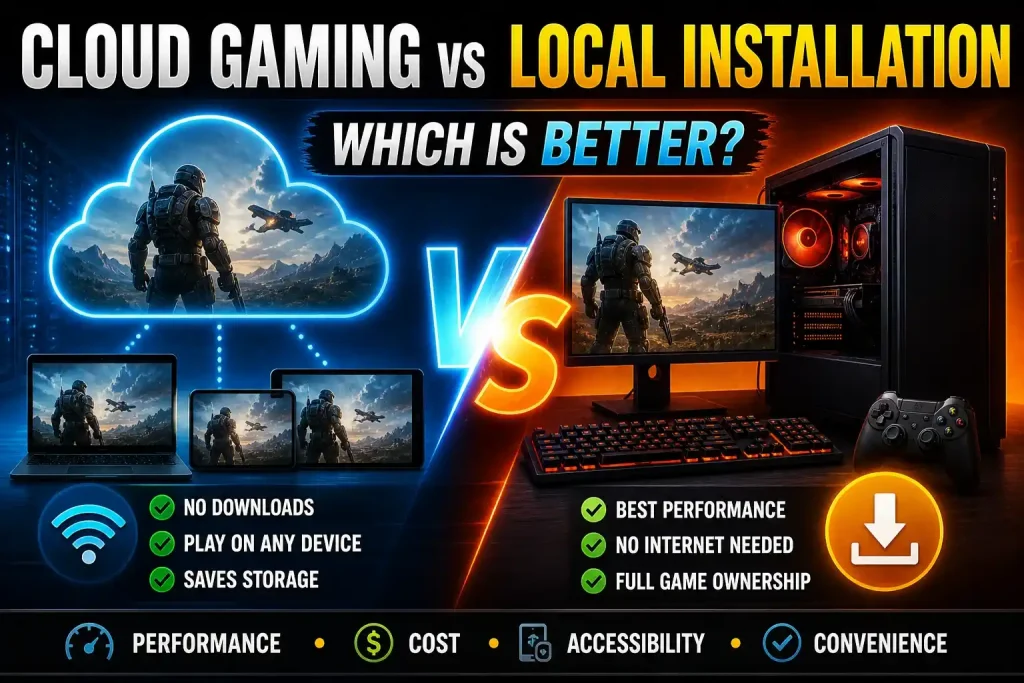
Key Differences Between Cloud Gaming and Local Installation
1. Performance and Graphics
Cloud Gaming:
Performance depends on your internet speed and server quality. Even with powerful servers, lag and compression can affect visuals.
Local Installation:
Delivers the best performance your hardware can handle. No streaming compression means sharper graphics and smoother gameplay.
Verdict: Local installation wins for performance consistency.
2. Internet Dependency
Cloud Gaming:
Requires a stable, high-speed internet connection (usually 15–50 Mbps or more).
Local Installation:
Once downloaded, most games can be played offline without internet.
Verdict: Local installation is better for unreliable or limited internet access.
3. Storage Space
Cloud Gaming:
No need to download large files. Saves storage space on your device.
Local Installation:
Modern games can take up 50GB–150GB or more of storage.
Verdict: Cloud gaming is ideal if you have limited storage.
4. Accessibility and Devices
Cloud Gaming:
Play on almost any device—low-end PCs, smartphones, tablets, or smart TVs.
Local Installation:
Requires compatible hardware that meets game requirements.
Verdict: Cloud gaming is more accessible across devices.
5. Latency and Input Lag
Cloud Gaming:
Input delay can occur due to streaming, especially in fast-paced games.
Local Installation:
Minimal input lag since everything runs locally.
Verdict: Local installation is better for competitive gaming.
6. Cost and Investment
Cloud Gaming:
Subscription-based model. No need for expensive hardware.
Local Installation:
Requires upfront investment in a gaming PC or console.
Verdict: Cloud gaming is more affordable upfront.
Cloud Gaming vs Local Installation Comparison
| Category | Cloud Gaming | Local Installation |
|---|---|---|
| Pros | No downloads or installations | Best performance and graphics |
| Works on low-end devices | No internet required after install | |
| Instant access to games | No streaming lag | |
| Saves storage space | Full ownership of game files | |
| Cons | Requires fast internet | Requires powerful hardware |
| Input lag issues | Large storage space needed | |
| Subscription costs over time | Long download times | |
| Limited offline access | — |
Which Is Better for Different Types of Gamers?
Casual Gamers
Cloud gaming is often the better choice. It’s easy, quick, and doesn’t require expensive hardware.
Competitive Gamers
Local installation is the clear winner. Low latency and consistent performance are essential.
Mobile Gamers
Cloud gaming allows access to high-end games without needing powerful phones.
Offline Players
Local installation is the only reliable option.
Real Example: Playing Cuphead
If you play Cuphead game through cloud gaming, you can start instantly without downloading. However, due to its fast-paced gameplay and precise controls, even slight input lag can impact performance.
On the other hand, a locally installed version provides smooth controls and better responsiveness, making it the preferred option for most players.
FAQs
Is cloud gaming better than downloading games?
Cloud gaming is better for convenience and accessibility, while downloading (local installation) is better for performance and reliability.
Do you need fast internet for cloud gaming?
Yes. A stable connection of at least 15 Mbps is required, but 50 Mbps or higher is recommended for smooth gameplay.
Can cloud gaming replace consoles?
Not entirely. While it reduces the need for hardware, latency and internet dependency still limit its ability to fully replace consoles.
Is cloud gaming the future of gaming?
Cloud gaming is a growing trend, but local gaming will remain important, especially for competitive and offline players.
Which is cheaper: cloud gaming or local gaming?
Cloud gaming has lower upfront costs, but subscriptions over time can add up. Local gaming requires higher initial investment but fewer ongoing costs.
Can you play offline with cloud gaming?
No. Cloud gaming requires an active internet connection at all times.
Is cloud gaming good for low-end devices?
Yes. It allows low-end devices to run high-performance games since processing happens on remote servers.